Меню Меню | |
 Категории Категории | |
 Мини-чат Мини-чат | |
|
|
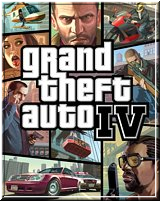
Grand Theft Auto (GTA IV) 4: Native Trainer {5.0} [1.0.0.4]
|
|
make the car invulnerable for anything (including scratches) setting can be changed in both the ini and ingame. This will also make some of the trainer's functions useless (like switch off engine or remove car window).
-Key to save car to slot 1 (RALT+8) and to load the car from Slot 1 (RALT+9).
-Speeches that are loaded using the shortcuts now work in MP.
-Roman's sorrow reverse can be enabled using defaults section in trainer ini (RomanSorrow).
-Reduced delay in clone object to 0.5 seconds.
-Limited access to save game function, this will only execute when the player is using
the model for Niko, of course the regular save game function will still let you save with someone other then Niko!.
-Save settings to trainer.ini (options, 2nd menu page), this will let you save settings which you changed ingame to trainer.ini's default section,
also any bodyguard settings you've changed will be saved to trainer.ini's bodyguard section. All settings that can be set in game (and make sense to be reloaded) are supported, only a few options will still need to be set via trainer.ini (like DLC and Episodic).
-Added some settings to defaults section of trainer.ini (which will also be saved using the save settings): Disable/Enable Peds,
Disable/Enable Cars, Enable/Disable Coordinates on Screen, Car Color for attacking driver/ped, Money for bodyguards/peds, DoNotWarp setting, which can also be changed in game (carspawn menu).
-Added Freeze and unfreeze player to options menu page 1.
-Added subway simulator, new subway spawn menu, (car spawning menu 1), where you can select one of the 4 lines, and then select a station,
you will then be teleported into the subway at the selected station, where you can start riding it. By default the train will stop at each station,
to leave a station and begin riding, press L, to speed up press Numpad +, speed down is Numpad -, To open/close right subway doors, press the right arrow,
for left doors, use the left arrow key. To disable stopping at stations, press the Q key, to switch to cockpit view press X. To rotate the cockpit view, use R.
To stop the subway press B, Use F to exit the subway. During subway usage, other functions of the trainer are disabled.
Some things to note: if stop at stations is enabled (which it is by default), the subway runs in a semi automatic mode, you need to use L to leave a station,
this will also automatically close the platform side doors (and will prevent them being closed whilst at the station), also this will make the subway stop automatically at each station. (and opening the platform side doors)
If stop at stations is disabled this automatic behavior doesn't occur. Disabling it at a station has no effect at first, as you still need to use L to leave the station, but after you've left the station,
the game will not stop at the next station, nor will you have any use for L (until you enable stop at stations again). When using the enter key to skip to next station you will be put somewhere along the tracks,
if the doors not open (whilst stop at station is enabled) this means the train has not reached it's exact starting position, if that happens, just press L and the train will go to the exact start position, press L again
to leave the station again this is only applicable when stop at stations is enabled.
Another thing to note is that F (to leave the train) is the actual key mapped to exit vehicle, so if you remapped that action to antother key, you need to use that key to exit the subway.
When using enter (to skip to next station), the total distance display will not be accurate anymore, the game somehow doesn't record the statistics correctly if that happens.
-New key to enter a subway spawned by other players in MP: RALT+7 enter subway. (also on carspawn menu).
-MaxTrainSpeed setting in defaults.ini, to set the maximum train speed, default =120Km/H, setting it higher will be unrealistic.Also this value is depending on the trainmetric setting, so if you use Miles, set the 120 to the relevant miles value.
-TrainMetric setting in defaults.ini, to set whether or not the metric system is used for the subway simulator.
-Added Hydraulics, (thanks to atomic1 who provided the code), use Num 8 for hydraulics to the front of the car, Num 2 for the back, Num 4 for left, Num 6 for right and Num 5 for center. These keys are the same keys that are used for the menu system,
if you re-assigned these keys to any other keys, those re-assigned keys would be used, also since they share the keys with the menu system, whenever the menu is displayed, hydraulics will not work.
-Ability to set the health of the car you are in (or the saved car).
-Added vehicle model hashes to the big object model list, so that they can be spawned as objects also using the in-game spawn by model hash function.
-Atomic1 provided 39 objects of which the height will be corrected if you save and clone the object (there were two objects where the trainer corrects this already, oiltank and cjboatramp).
-Fixed the clone object function (the one using the menu, not the move screen), it was wrong.
|
|
Категория: Читы, хаки и трейнеры | Добавил: ПАТРИАРХ
|
| Просмотров: 2076 | Загрузок: 1
| Рейтинг: 0.0/0 |
Добавлять комментарии могут только зарегистрированные пользователи. [ Регистрация | Вход ] |
|
 Форма входа Форма входа | |
|
 Профиль Профиль |
 Пожалуйста, зарегистрируйтесь или войдите в свой аккаунт.
Войти
Пожалуйста, зарегистрируйтесь или войдите в свой аккаунт.
Войти
|
| Поиск | |
 Наш опрос Наш опрос | |
 Статистика Статистика |
Онлайн всего: 1 Гостей: 1 Пользователей: 0 |
|